Why Old Holiday Photos Look Blurry When Enlarged
Holiday photos hold irreplaceable memories, capturing moments with family and friends that can never be recreated. Yet when you try to enlarge those cherished prints or scanned images from decades past, they often turn into disappointing blurs. The clarity that seemed fine in a small format dissolves into fuzzy shapes and soft edges when viewed larger. This frustration stems from the fundamental limits of older photographic technology and the way images were captured and preserved. Understanding why this happens and what modern tools can do to help reveals both the constraints of vintage photography and the remarkable capabilities of today’s AI-powered restoration techniques.
The Resolution Limits of Film and Early Digital Cameras
The blurriness you see when enlarging old holiday photos comes down to the amount of detail the original medium could capture and preserve. Film negatives contain a finite amount of information determined by the film format size, the quality of the film stock, and the optical performance of the camera lens. While 35mm film negatives can theoretically hold upwards of 87 megapixels of information, and larger medium-format film can equate to 400 megapixels or more, the practical reality often falls short of these theoretical maximums.
Mid-twentieth-century cameras and consumer-grade film stock typically used smaller formats or less sophisticated emulsions that captured less detail than what modern digital sensors routinely achieve. The chemical grain structure of film itself imposes a physical limit on sharpness. When you enlarge an image beyond the detail density of the original, you begin to see not just the subject but the structure of the medium itself – the grain pattern becomes visible, edges soften, and fine textures blur together.
Early digital cameras from the 1990s and early 2000s compounded this problem with sensors that captured only a few megapixels. A typical consumer digital camera from 2000 might have recorded images at 2 to 3 megapixels, meaning the entire photograph contained less information than a single crop from a modern smartphone camera. These low pixel counts made enlargements particularly challenging, as there simply was not enough data to fill a large print or high-resolution display without visible degradation.
Scanning Quality and Physical Degradation
The quality of digitization plays an equally critical role in how sharp your old photos appear when enlarged. Scanning a film negative or print creates a digital representation, and that scan’s resolution determines the maximum usable size. Many family photo archives were scanned years ago at modest resolutions, sometimes as low as 300 to 600 dots per inch, which produces files suitable for screen viewing but inadequate for significant enlargement. Even if the original negative could theoretically support a high-quality scan, a low-resolution digitization permanently limits what you can do with that digital file.
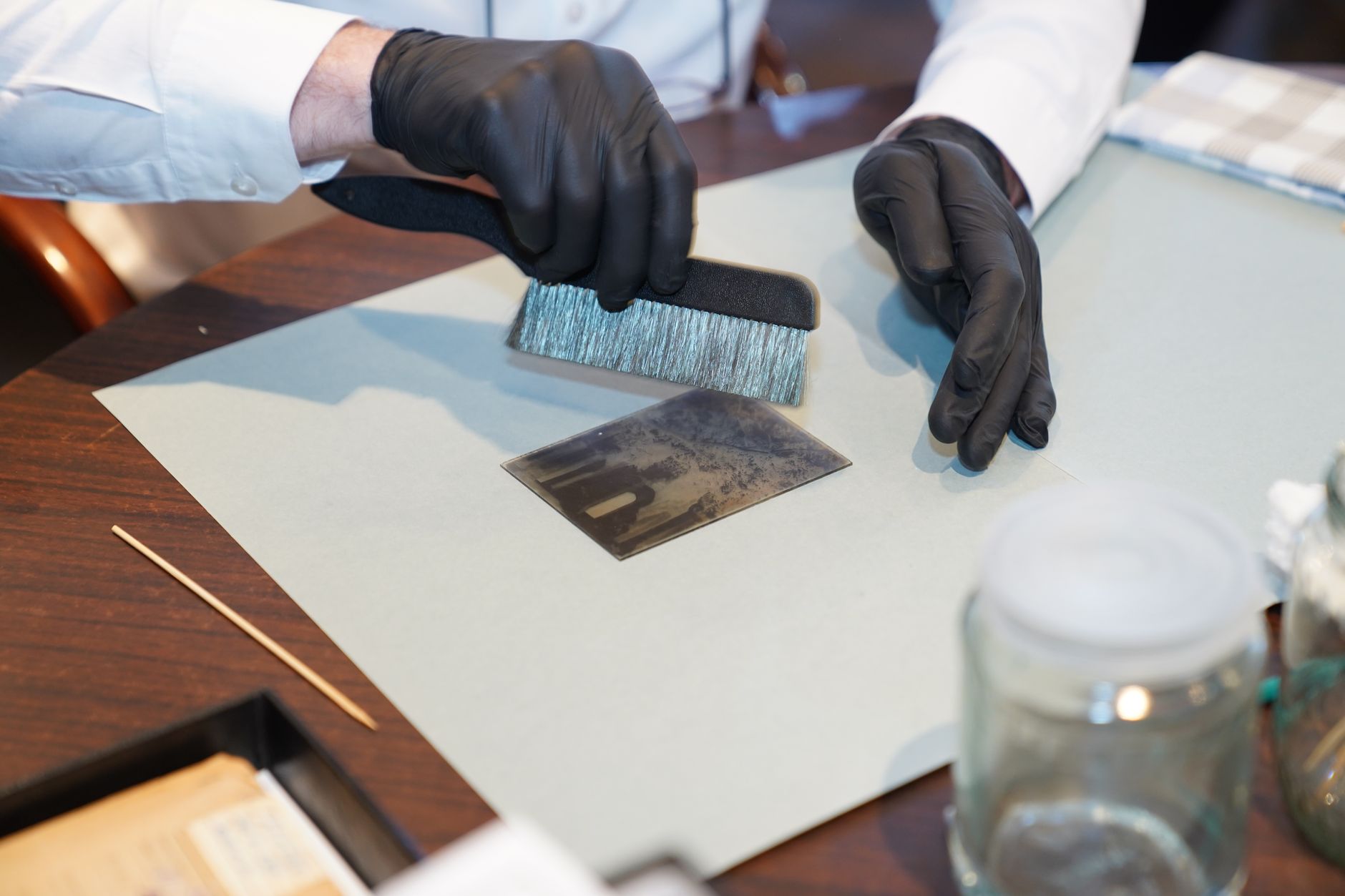
Physical degradation of the film or prints over time adds another layer of difficulty. Photographs stored in less-than-ideal conditions may develop scratches, fading, color shifts, or chemical breakdown of the emulsion. Humidity, temperature fluctuations, and exposure to light all take their toll on film and paper. These physical imperfections become glaringly obvious when you attempt to enlarge an image, as every scratch and discoloration gets magnified along with the intended subject matter.
Lens quality and focusing accuracy from the original capture also contribute to perceived blurriness. Many consumer cameras from earlier decades used fixed-focus or zone-focus systems that provided acceptable sharpness only within a limited range. Camera shake, motion blur from slow shutter speeds, and the inherent softness of inexpensive lenses all compromise the fine detail recorded in the negative, problems that become immediately apparent when you try to view the image at a larger size.
AI-Powered Enhancement and Upscaling Solutions
Modern AI-powered photo enhancement tools offer meaningful help for blurry old holiday photos by analyzing existing pixels and intelligently generating additional detail. These systems use machine learning models trained on vast datasets of images to understand how photographic detail typically appears. When faced with a low-resolution or slightly soft image, they can predict and fill in missing information in ways that look convincingly natural, extending the practical enlargement limits of older photographs.
Krea Enhancer provides a free online option that transforms low-quality photos into sharper, higher-resolution images by improving resolution, sharpness, and clarity. EzEnhancer takes a similar approach using Deep Convolutional Neural Networks to reconstruct details in blurry photos, offering features like AI image enhancement, photo upscaling, background removal, and noise reduction at no cost. These web-based tools make professional-grade enhancement accessible without requiring specialized software or technical expertise.
Deep-Image.ai offers upscaling up to 16 times the original size, restoring severely degraded images by creating new details that fit the image context while also sharpening, removing noise, and correcting colors and light. For users seeking desktop applications with more control, Topaz Gigapixel AI provides professional-grade enlargement that turns low-resolution images into high-resolution assets, with multiple refined models useful for upscaling different types of photos including old ones. Adobe Super Resolution, integrated into Lightroom and Camera Raw, uses machine learning to double horizontal and vertical resolution, performing particularly well with clean files that already contain good underlying detail.
Aiarty Image Enhancer focuses on increasing image resolution up to 4K and beyond while preserving natural textures and fine detail, working as both an upscaler and a detail recovery tool. LetsEnhance operates as a web-based platform offering high-quality AI photo restoration with a dedicated model for old images, providing an intuitive interface that requires no downloads and includes a free trial with credits. MyHeritage, though better known for genealogy, offers photo tools that enhance and colorize old images with minimal clicks.
Google Photos includes a Photo Unblur tool designed to improve out-of-focus blurry photos, addressing motion blur and camera shake in both new and old images, accessible to eligible users at no cost. Canva’s free AI image enhancer can upscale any image with a single click while also offering a photo restoration app that can repair old photos by removing creases, tears, and discoloration. Picsart provides an AI-powered Photo Enhancer that makes photos clearer and sharper, along with a Blur Remover tool that can revive old photos, with these AI tools available for free.
What AI Can and Cannot Do
While these enhancement tools produce impressive results, it helps to understand their capabilities and limits. AI upscaling works best when the original image has reasonable clarity to begin with. The algorithms can sharpen soft edges, reduce noise, and extrapolate detail from existing information, but they cannot create accurate information where none existed in the first place. An extremely blurry or heavily damaged photo will show improvement but may still fall short of the quality you might hope for.
Understanding when you can and cannot fix a blurry old photo requires honest assessment of the source material. Photos with motion blur, where the subject moved during exposure, present particular challenges because the blur represents information genuinely not captured by the camera. AI can reduce the appearance of this blur and improve overall sharpness, but it cannot reconstruct details that never made it onto the film or sensor. Similarly, if an image is severely out of focus across the entire frame, enhancement can help but will not produce the same results as starting with a sharp original.
The most successful results typically come from photos that have good composition and adequate exposure but suffer from low resolution, minor softness, or scanning artifacts. These images give the AI algorithms enough information to work with, allowing the systems to enhance what is already there rather than inventing detail from nothing. Setting realistic expectations based on your source material prevents disappointment and helps you choose the right tool and approach for each specific photograph.
Summary
Old holiday photos appear blurry when enlarged because of inherent limitations in the technology that captured them. Film grain, lens quality, camera focus systems, and scanning resolution all impose hard limits on the detail available in vintage photographs. Early digital cameras with low megapixel counts created files that were never designed for large-format reproduction. Physical degradation over time adds scratches, fading, and other imperfections that become magnified during enlargement.
AI-powered enhancement and upscaling tools provide genuinely helpful solutions by analyzing existing image data and intelligently generating additional detail. Free options like Krea Enhancer, EzEnhancer, and tools built into Google Photos and Canva make this technology accessible to everyone, while professional applications like Topaz Gigapixel AI and Adobe Super Resolution offer more sophisticated controls for demanding work. These tools cannot work miracles with severely damaged or extremely blurry originals, but they can meaningfully extend the usable size and quality of most older photographs. The best approach combines realistic expectations about what the source material can support with the right enhancement tool for your specific situation, allowing you to preserve and display precious holiday memories at sizes that would have been impossible just a few years ago.
FAQs
Can I fix a completely out-of-focus old photo?
AI enhancement tools can improve the appearance of out-of-focus photos by sharpening edges and adding perceived detail, but they cannot fully recover information that was never captured. Photos with minor softness respond well to enhancement, while severely out-of-focus images will show improvement but remain fundamentally limited by the original capture. The degree of success depends on how much usable detail exists in the source material.
Do I need expensive software to enhance old holiday photos?
Many effective enhancement tools are available for free or at low cost. Online platforms like Krea Enhancer, EzEnhancer, LetsEnhance, and tools built into Google Photos, Canva, and Picsart provide powerful AI enhancement at no cost or with free trials. Professional desktop applications like Topaz Gigapixel AI offer additional control and refinement for users who need it, but free tools handle most common enhancement needs effectively.
How large can I print an enhanced old photo?
The maximum print size depends on the quality of your source material and the enhancement applied. A well-preserved negative or a high-resolution scan can be enlarged substantially with AI upscaling. As a practical guide, start with the enhanced file resolution and aim for 150 to 300 pixels per inch at your desired print size. Test prints at your target size help you judge whether the quality meets your standards before committing to a final large print.
Will scanning my old negatives again at higher resolution help?
Yes, rescanning original negatives at higher resolution can provide significantly better source material for enlargement than working with old low-resolution scans or prints. Film negatives often contain more detail than early scans captured. A modern high-resolution scan can unlock detail that was present in the negative but lost in previous digitization, giving AI enhancement tools better information to work with and producing superior final results.
Can AI add color to black and white holiday photos?
Several AI tools can colorize black and white photographs by predicting appropriate colors based on the tones and context in the image. MyHeritage offers this feature with simple controls, and other enhancement platforms include colorization alongside their sharpening and upscaling capabilities. The results vary in accuracy depending on the subject matter, but modern AI colorization has become quite sophisticated at producing natural-looking color interpretations of grayscale originals.